ផ្ទាំងលេច
iOS / iPadOS
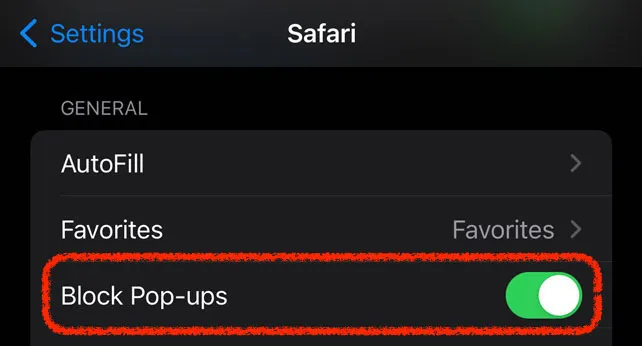
លើ iOS បើក Settings > Safari ហើយបើក Block Pop-ups
macOS
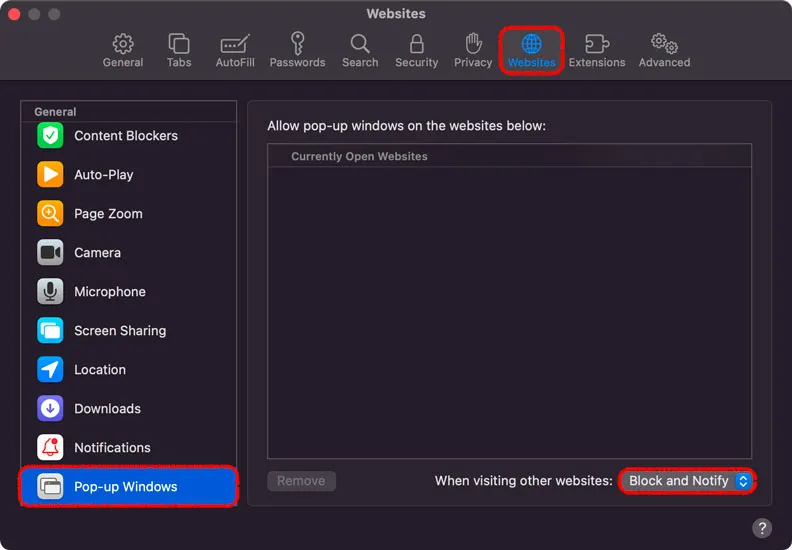
1. បើក Safari 2. ក្នុង menu bar ខាងលើ ជ្រើស Safari / Preferences 3. ជ្រើស tab “Websites” 4. ជ្រើស “Pop-up Windows” នៅផ្នែកខាងឆ្វេង 5. ប្ដូរ “When visiting other websites” ទៅ “Block and Notify”